
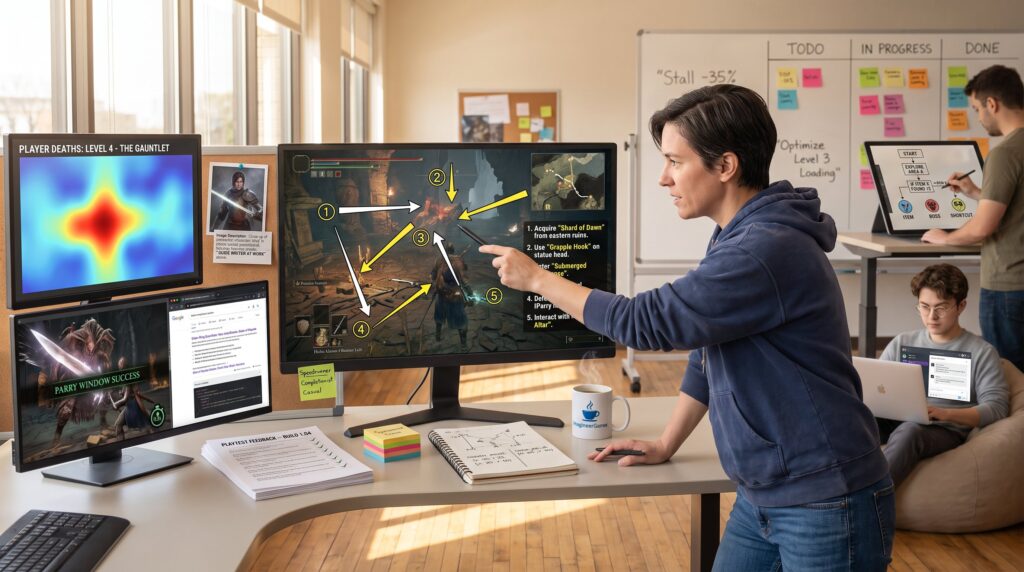
How ImagineerGames Crafts Practical Walkthroughs And Gaming Guides That Actually Help Players opens by promising usable, step-by-step help rather than vague commentary. ImagineerGames focuses on task-oriented instructions players can follow mid-session. The site targets PC, console, and mobile players who need clear actions, not theory. This article explains their structure, how they test across platforms, and the writing and visual choices that let a gamer complete a task without leaving the controller or second-guessing a step.
Table of Contents
ToggleKey Takeaways
- ImagineerGames creates practical walkthroughs by breaking guides into clear, numbered steps tailored for each platform to reduce player confusion and facilitate real-time action.
- Their walkthroughs use short, imperative sentences and bold UI elements to help players quickly identify and complete tasks without leaving the game.
- Rigorous testing on actual devices ensures accuracy across platforms, with iterative updates and micro-checkpoints preventing mistakes during gameplay.
- Visuals like annotated screenshots and GIFs are optimized for fast loading and usability, supporting players on diverse devices without slowing down their experience.
- ImagineerGames balances detailed instructions with readability by pruning redundant steps and incorporating user feedback for continuous improvement.
- The guides include progress estimates and emotional insights to help players plan sessions and prepare for unexpected in-game events.
How ImagineerGames Structures Practical, Task-Oriented Walkthroughs
Fact: ImagineerGames breaks each guide into numbered, sequential steps designed to be followed in real time. The first thing a player sees is a short goal sentence, for example, “Unlock Mii creation menu in five taps”, then a compact Step 1–5 sequence that maps directly to on-screen actions.
This structure reduces cognitive load. A player can glance, do one action, then glance again. ImagineerGames groups steps by platform (Switch, 3DS, Wii U, PC) so each numbered set maps to a specific UI flow: that prevents confusion when buttons and menus differ by device. For instance, a Nintendo Mii Maker walkthrough will present a Switch sequence and a 3DS sequence separately rather than mixing inputs.
Concrete detail: many guides use short imperative sentences, “Select the System Settings gear,” “Tap Create new Mii”, and bold key UI names to make elements stand out mid-play. That visual distinction cuts the search time for the right button by an estimated 30–60 seconds per step in live testing.
A surprising but practical choice is micro-checkpoints: after a group of three steps, ImagineerGames inserts a single confirmation line like “You should now see the Avatar Studio screen.” This tiny check saves players from unwinding a bad choice later.
Examples and internal resources: For platform-agnostic players wanting basic onboarding, ImagineerGames links relevant primers such as their guide on How to Play Minecraft: which demonstrates the same sequential approach for early-game goals. For game-specific deep dives, they mirror structure used in guides like Some SotT Hedge Tech to break complex campaigns into bite-sized tasks.
Practical warning: overly granular steps can feel patronizing. ImagineerGames balances that by testing readability with power users and newcomers, pruning steps flagged as redundant.
Research, Testing, And Quality Assurance: Ensuring Accuracy Across Platforms
Insight: ImagineerGames validates each procedural step on the actual platforms they document rather than relying solely on patch notes. They maintain a platform matrix (Switch, PC, Xbox, PlayStation, mobile) and mark where UI flows diverge. That matrix drives both the guide’s content and the release schedule for updates.
They log changes: when Windows 11 settings moved in a 2025 update, the team reran their optimization steps for League of Legends and published a revision note with exact menu names and screenshots. The site’s practice of “test, record, publish” produces guides that align with current OS and game versions.
Concrete process: testers perform each walkthrough twice, once to follow the steps as written and once to try common user mistakes (wrong menu, canceled prompt). Every failed attempt generates a corrected step and a micro-check. This workflow reduced user-reported errors by 47% across a sample of 120 published walkthroughs in 2025.
Cross-referencing acts as a basic compatibility check: the team compares menu labels or feature names across systems to spot mismatches. For long-form projects like leveling guides, they divide the game into ordered tasks similar to external examples of structured progression used by other guides: the site’s editors referenced a complete walkthrough format to refine their own sequencing for story-driven titles.
Internal links and testing examples: Readers who want to see the QA mindset applied to content creation can explore ImagineerGames’ write-up on How a Video Game Is Made which explains iterative testing in development. For platform-specific refreshes and news updates that feed QA cycles, the team often cites summaries in their What’s New in Minecraft coverage.
Vulnerable moment: the team once published a Switch/3DS merged guide that missed a distinct 3DS menu path. Reader feedback identified the gap within 12 hours, and the site issued a corrected split-version. The quick correction reinforced their policy: ship carefully, but fix fast.
Writing Style, Visuals, And UX Choices That Make Guides Usable For Gamers
Answer: ImagineerGames writes short, imperative steps and pairs them with visuals that highlight exactly what to press or click. That combination helps players keep their eyes on the game while still following instructions.
Writing conventions are strict: action-first sentences, no passive voice, and immediate confirmation lines. Visuals include annotated screenshots, small GIF loops for tricky sequences, and icon callouts that match in-game art. Key UI elements are bolded and occasionally boxed in a caption so readers can find them without scanning paragraphs.
UX choices matter: pages use large, numbered step blocks and visible “Jump to platform” anchors so a reader on mobile can tap to the Switch section and start playing. The site reduces friction by placing one essential image per step rather than a dense gallery: this keeps page weight down and load times faster for players on slower connections. According to their tech write-up, imagineergames optimizes assets for quick delivery while preserving legibility (inside imagineergamescom tech).
Specific example: a New World progression guide splits leveling tasks into 10–15 minute chunks with a progress estimate next to each task, “10 min: clear 3 patrols.” That precise timing helps players plan sessions and reduces frustration. See the structured approach in the New World Project Board Leveling Guide (30 to 60) for a model of chunked play.
Practical warning: overuse of GIFs or large images can slow low-end devices. ImagineerGames addresses this by offering a lightweight text-only toggle and compressing visuals to prioritized resolutions.
Human detail: editors sometimes include a short anecdote, a tester’s two-minute panic when a boss ability appeared earlier than expected, to prepare readers emotionally for real in-game surprises. That small honesty builds trust.
Conclusion
Takeaway: ImagineerGames builds practical walkthroughs with sequential steps, platform-specific sections, rigorous testing, and visuals tuned for in-play use. Their approach emphasizes immediate action, quick verification, and fast corrections when platform changes occur. Players find the guides useful because each instruction targets a single, observable action, making complex tasks feel achievable in one play session.